
gEdit
gEdit is a free editor for NC code. Read, check, clean and renumber CNC programs for Fanuc, Heidenhain, Okuma and Sinumerik. For Windows, macOS and Linux.
Windows · macOS · Linux · free and open source (MIT) · works offline
What gEdit does
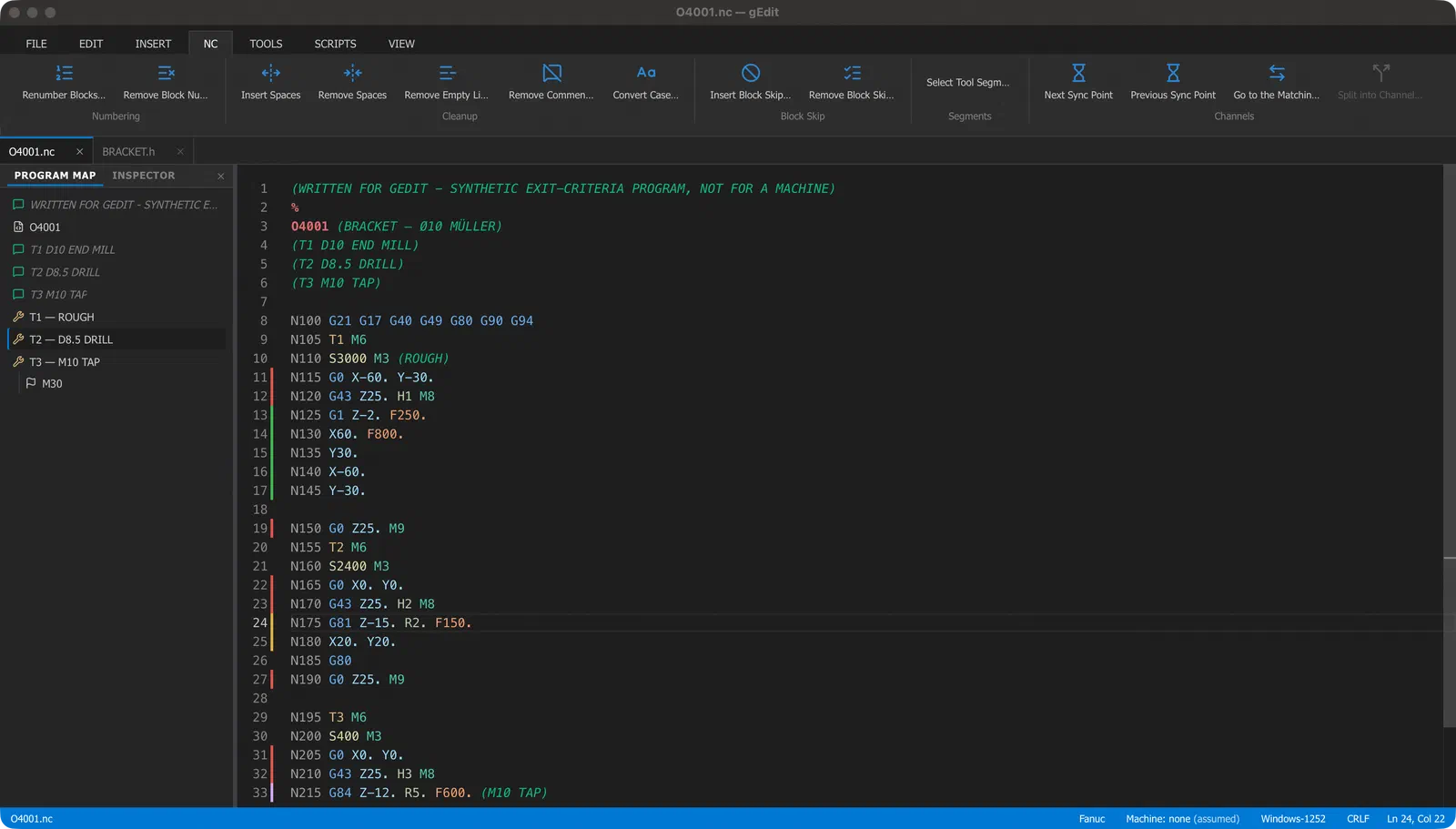
gEdit is the program you open after the post-processor. Before the program goes to the machine.
Your file stays your file
Open and save without changes, and the file is exactly the same, byte for byte. Encoding and line endings stay as they were.
Find your way fast
The program map lists every tool call, comment and program end. Click to jump there. F7 goes to the next tool change.
Explains every code
Move the mouse over a G or M code and gEdit tells you what it does. The inspector shows what is active after each block.
Clean up in one click
Renumber blocks, remove block numbers, comments, empty lines or spaces. Jumps and calls are updated. One Undo takes it back.
Check before the machine
Tool list, feed and speed range, program checks and the travel range of the axes. Click a result to go to the line.
Compare two versions
Compare the program with the saved file, another tab or any file. Side by side or in one view.
Nothing gets lost
Before every save, gEdit keeps the old version. After a crash or a power cut, your unsaved work comes back.
Your machines, your codes
Tell gEdit how your control reads numbers. Add the special M codes of your machine builder. Write cycles from templates.
Help on the code
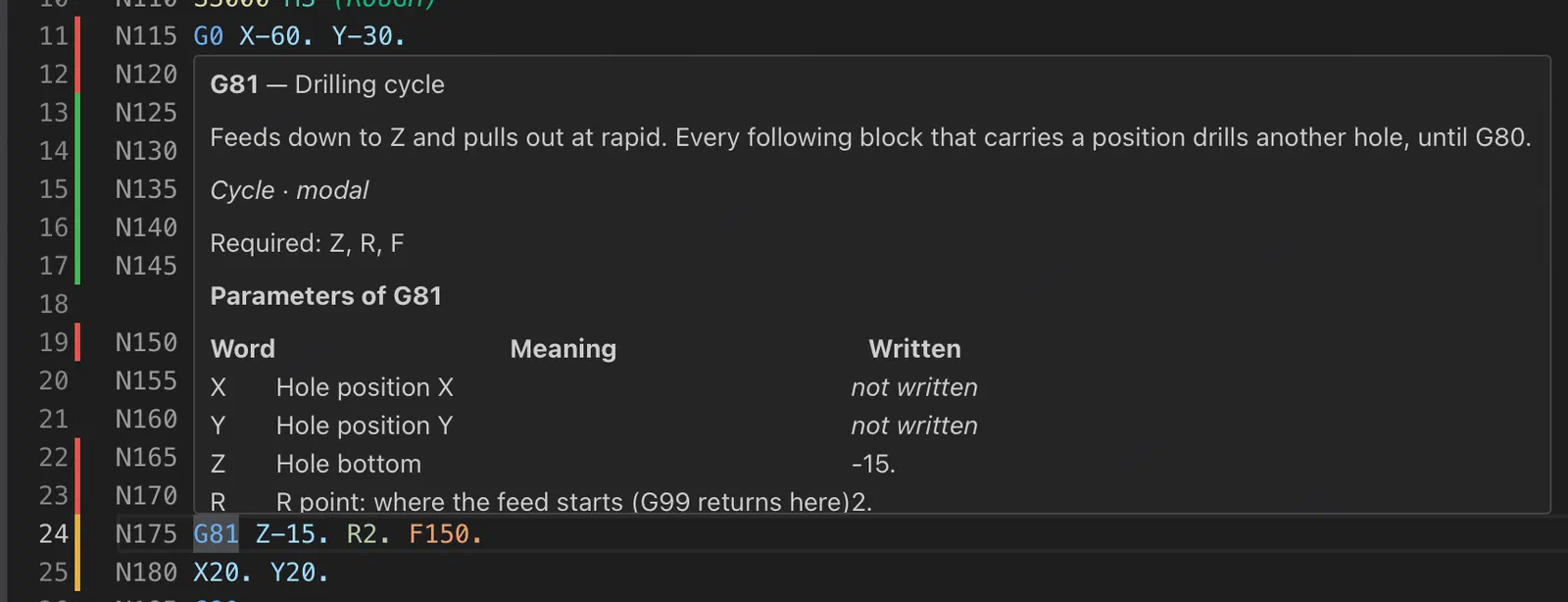
Know what a code means, right in the program
Point at a code and gEdit shows what it does, which words it needs, and the values this block uses. The text comes from a code database, not from guessing. If gEdit does not know a code, it tells you so.
Scripts
Tool list and checks with one click
Six scripts come with gEdit: tool list, program checks, travel range, scale feed rates, scale spindle speeds and calculations on address values. The result is a table. Click a row to go to the line. You can also write your own scripts in Python.

Which controls
gEdit knows six NC dialects. It finds the right one from the file name and the content.
What gEdit does not do
- No simulation, no backplot, no 3D view.
- No connection to the machine (no DNC) and no program management.
- No milling on Okuma controls yet.
Good to know
- The program itself is in English.
- The installers are not signed. Windows and macOS ask once if you want to start the program. The steps are in the download notes.
- The built-in templates are not yet tested on a real machine. Always check the code before you run it.
- Python is only needed for the scripts. Everything else works without it.
Try gEdit
Free. No account. No internet needed after the download.